A Complete Payment Platform Built for MSP Billing Workflows
Zomentum Payments centralizes collections, automates recurring billing, and lets clients pay invoices and quotes without friction.
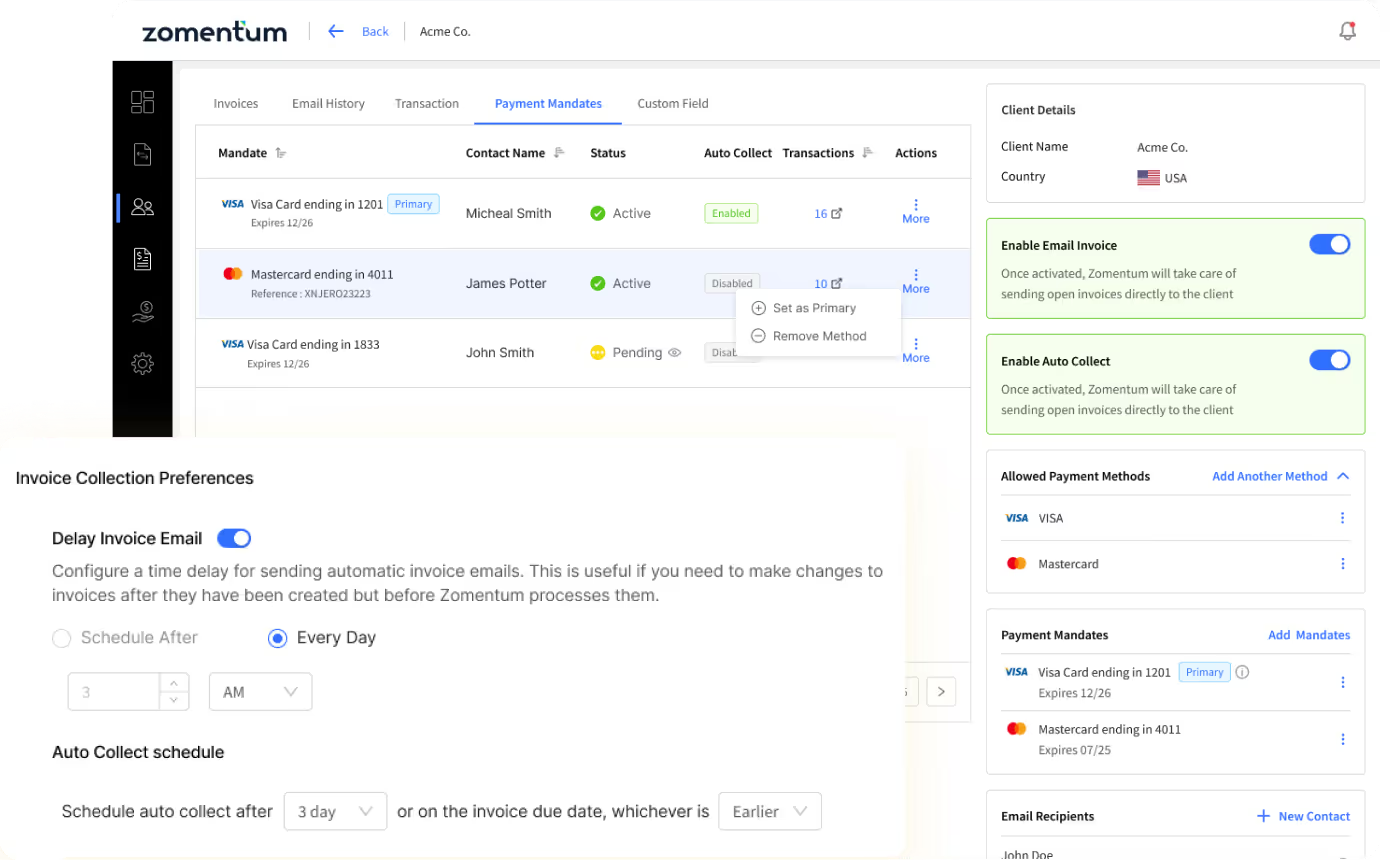

Proven Results, Trusted by 4000+ Businesses Worldwide
Higher Close Rates
In Deals Won
Saved in Transaction Fees







Core Payment Capabilities Built for MSP Workflows
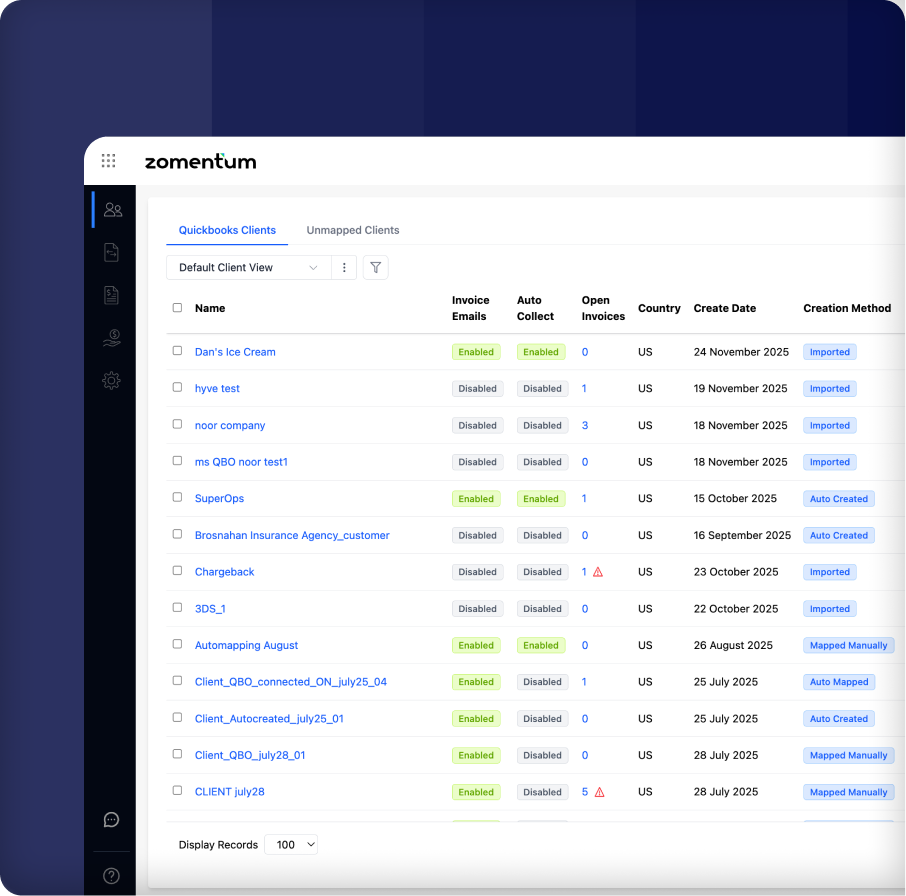
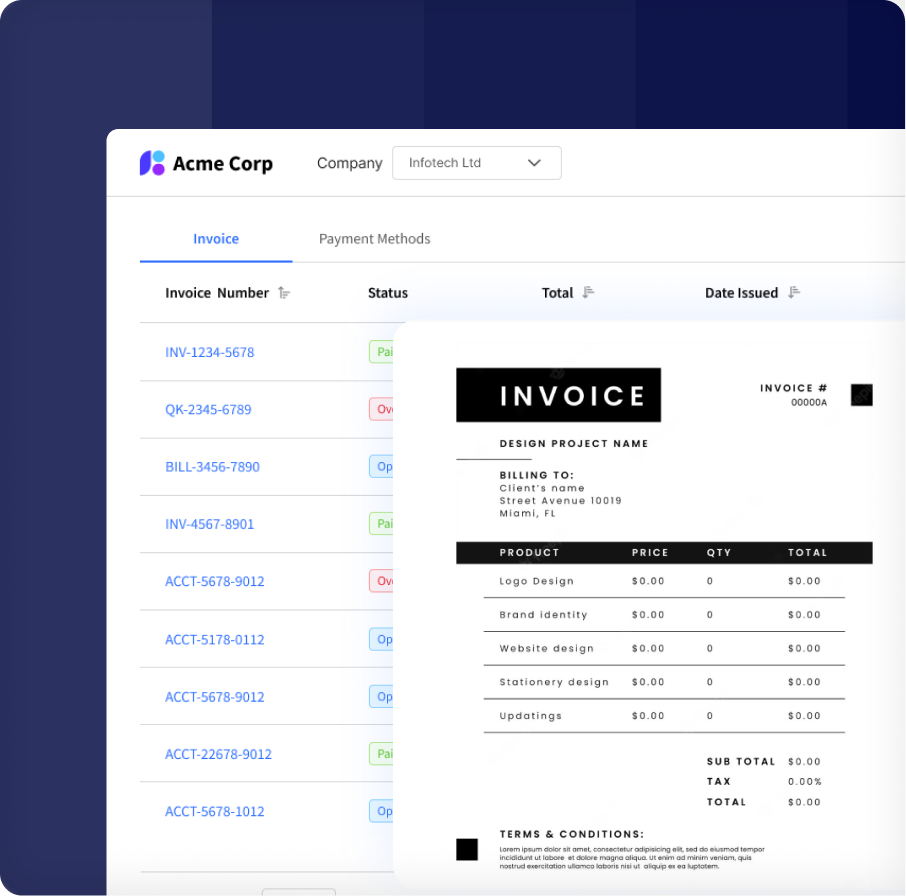
Centralized Invoice Management
Invoices import instantly from QuickBooks or Xero, giving you a unified place to view, track, and manage all billing activity.
- Real-time invoice import from accounting tools
- Open and overdue invoice visibility
- Invoice-level email and auto collect controls
- Invoice PDF displayed in the client portal
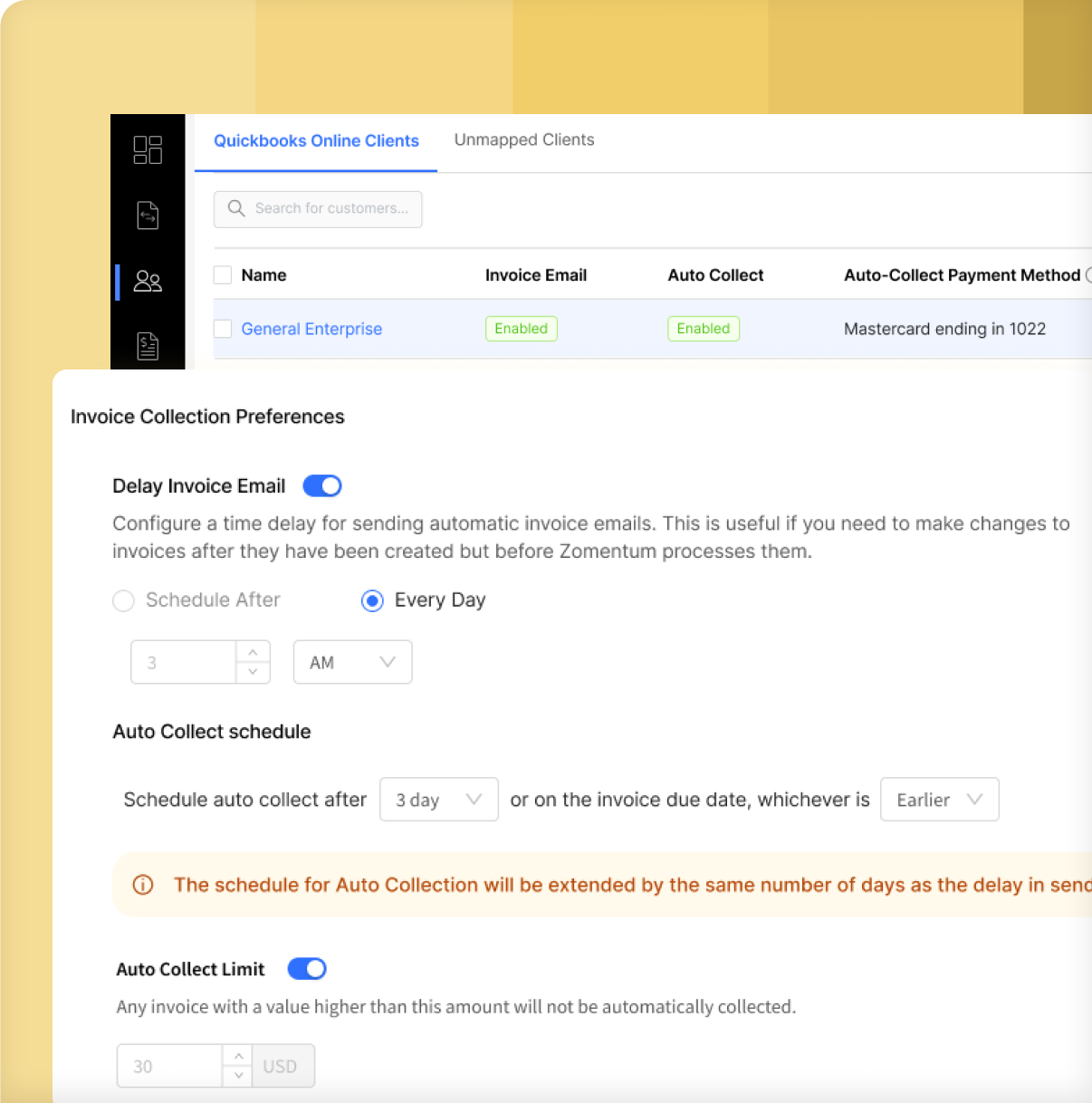
Scheduled Auto Payments
Set your auto collect rules once and let Zomentum charge clients automatically using their saved payment methods.
- Auto collect scheduling from 1 to 31 days
- Optional delay before sending invoice emails
- Client-level and invoice-level controls
- Charges saved cards or ACH mandates
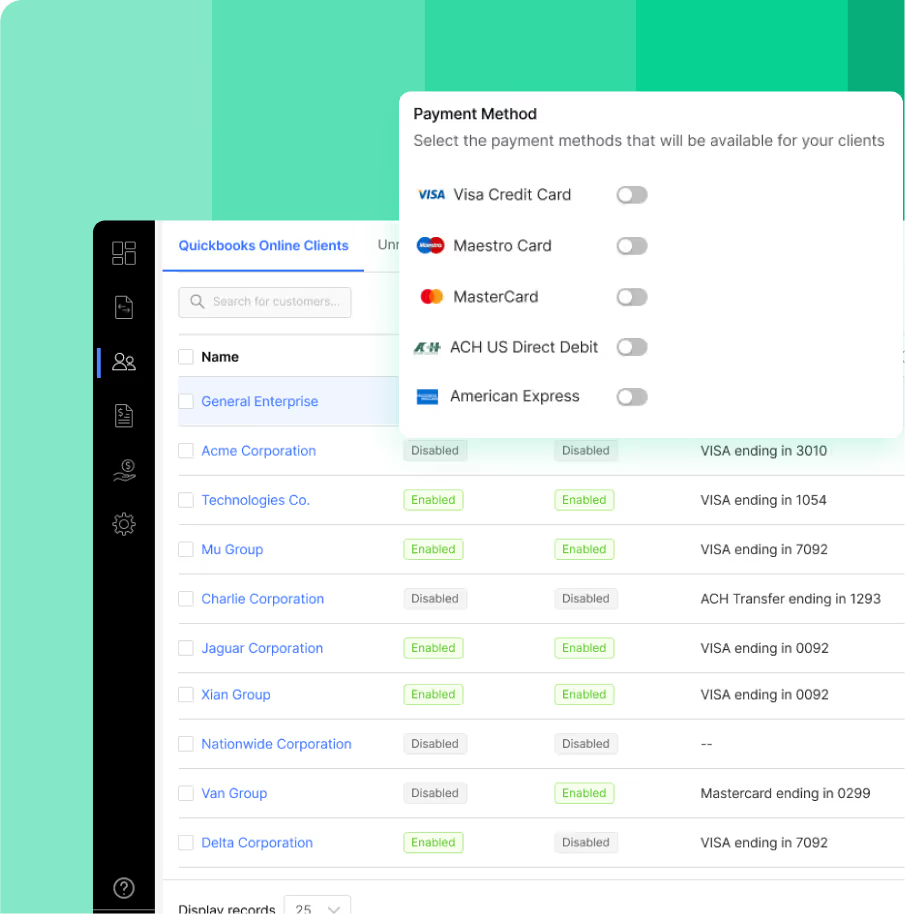
Flexible Payment Methods
Offer flexible payment options and control how clients pay for invoices and documents.
- ACH, Visa, Mastercard, and Amex available within 24 hours
- Global enable or disable for each payment method
- Per-client method controls
- Saved cards and ACH mandates with primary selection
- Transaction fee passthrough options
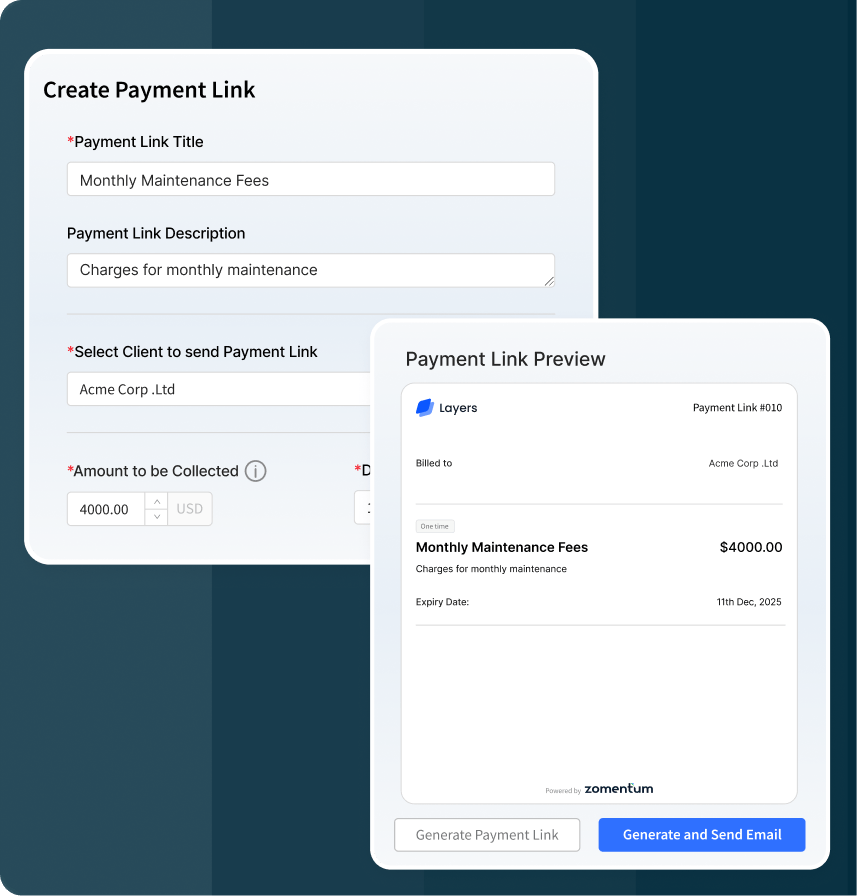
Instant Payment Links
Generate payment links and request payment for any amount without the hassle of generating invoices or proposals beforehand.
- Collect any amount of money without limitations.
- Pay using Card or ACH, standard charges apply, no extra fee involved
- Share secure payment link through email, chat, social media channels
- Payment syncs seamlessly with accounting tool as unallocated payment.
- Automatically reconciled and deposited to accounting tool.
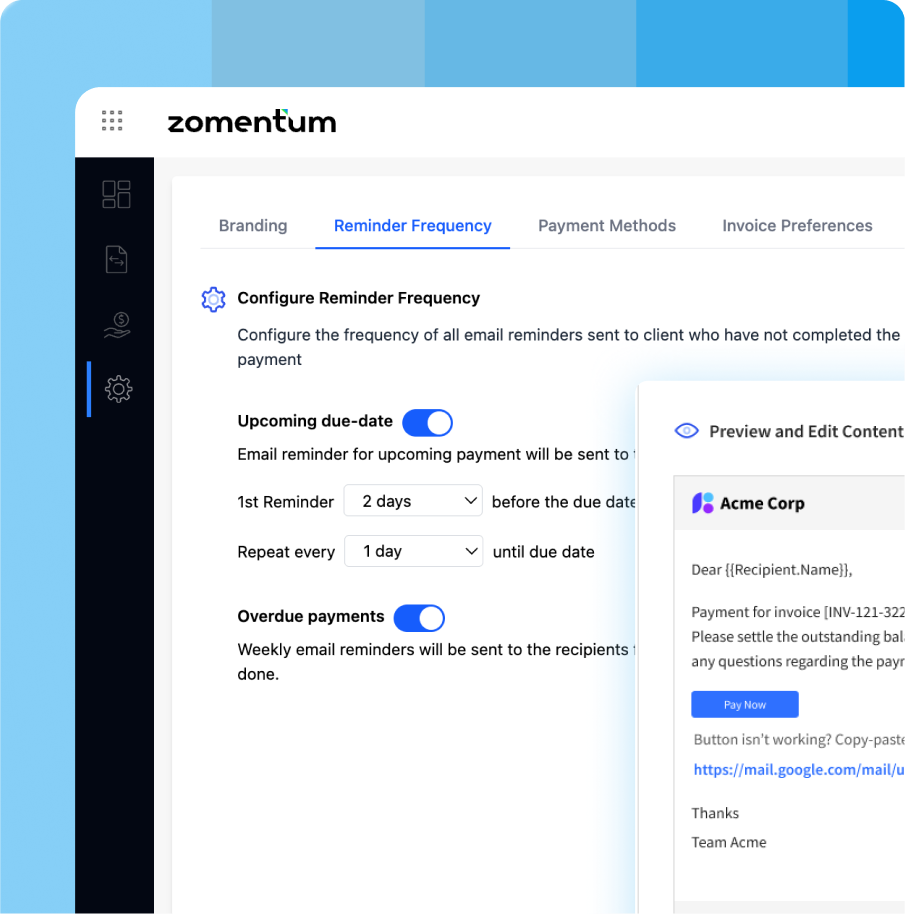
Payment Emails and Reminders
Customize every payment-related email so clients get clear, consistent communication from your brand.
- Customizable email templates for all payment workflows
- Sender domain whitelisting
- First payment email and auto debit email
- Upcoming due and overdue reminders
- “Add payment method” invitation emails
- Auto debit notifications and receipts
- Email history logged
Client Payment Portal
Give clients a simple, secure portal to view invoices, manage payment methods, and pay instantly.
- Magic link login valid for 10 minutes
- Unified invoice view across companies
- Pay one or multiple invoices in a single session
- Invoice PDF preview
- Transparent fee breakdown at checkout
- Saved payment methods available
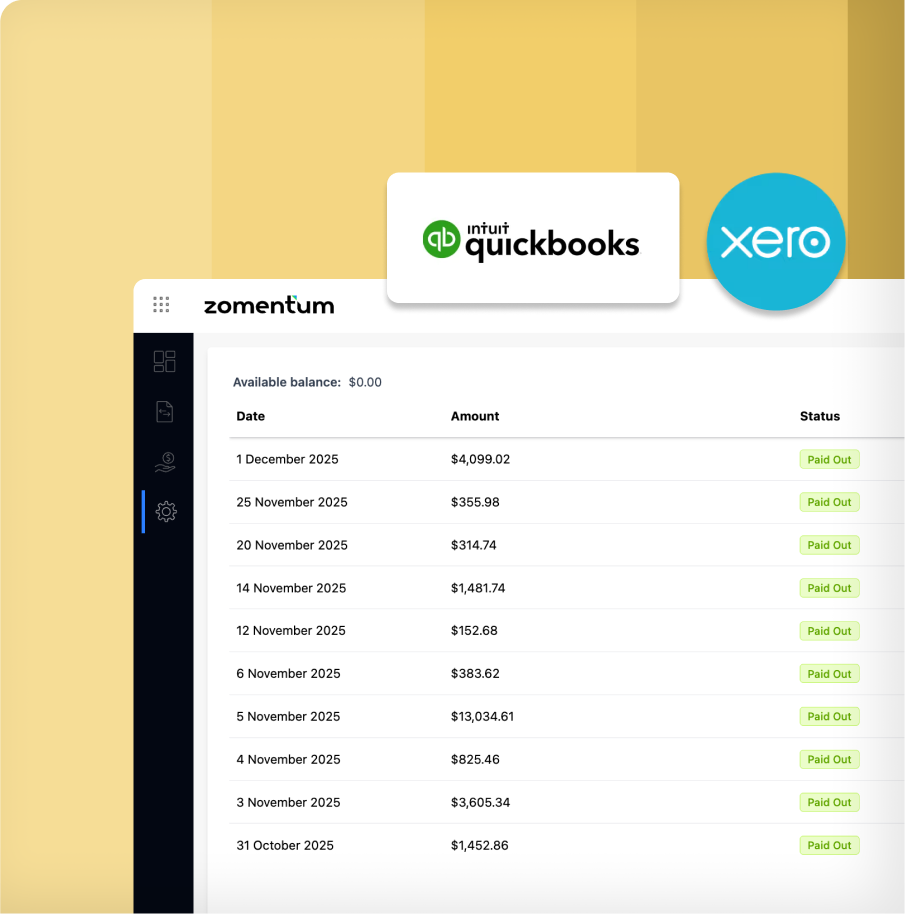
Automated Payout Reconciliation
Track every transaction clearly and manage payouts and refunds without friction.
- Payouts processed every 2–3 business days
- Automated reconciliation with accounting tools like Quickbooks and Xero
- Quick links to view and track deposits in accounting tools
- Transaction breakdown for each payout cycle
- Track payout timelines for future fund settlements (upcoming)
From Setup to Payout in One Smooth Flow

Complete Your KYC
Verify your business, add decision-maker details, and enable payment acceptance

Connect Accounting Software
Sync QuickBooks or Xero to bring in all clients, invoices, and payment records automatically.

Customize Account Settings
Configure your email, payment preferences, payout settings, and collection rules.

Start Collecting Payments
Send invoice requests, accept portal payments, and receive payouts every 2–3 days.

Fits Your Stack From Day One
No clunky spreadsheets. No more multiple tools & endless tabs. Just revenue. Zomentum’s AI powers your entire sales flow, spotting opportunities, creating











Frequently
Asked Questions
Zomentum Payments is a payment platform for MSPs that syncs invoices from QuickBooks or Xero, automates payment collection, supports cards and ACH, and lets clients pay through a simple portal. It also manages payouts, refunds, and chargebacks in one place.
Once connected, invoices from QuickBooks or Xero sync into Zomentum Payments in real time. You do not need manual uploads. Any new invoice pulls in instantly and follows your payment and auto collect settings.
Yes. You can enable auto collect for any client or invoice. Zomentum charges the client’s saved card or ACH mandate based on the collection schedule you set. You can also delay invoice emails or manage settings at invoice or client level.
Zomentum Payments supports ACH, Visa, Mastercard, and American Express. You can enable or disable methods globally or adjust them for each client. Clients can also save cards or ACH mandates and set a primary option for auto debit.
Yes. Clients get a secure portal where they can view all their invoices, preview PDFs, pay one or many invoices, and choose from their saved payment methods. Portal access is provided through a magic link that stays active for ten minutes.
Payouts are processed every two to three business days. You can view your available balance, including negative balances that result from refunds or chargebacks. All transactions include unique IDs and appear in your history for easy reconciliation.
Yes. You can edit all system emails, including first payment emails, auto debit messages, reminders, overdue notices, and payment method requests. You can also add your sender domain for branded communication.
Yes. You can accept upfront payments on Grow documents. When clients sign and pay on a quote, the payment is processed immediately, and the client record is created or mapped automatically.
KYC verification usually takes two to three days if all the provided information and documents are correct. Once verified, you can start receiving payouts.
Yes. Refunds are issued directly inside Zomentum Payments. You will see the reason field, the expected settlement date, and how the refund affects your balance. Chargebacks are also handled and deducted from future payouts.
The #1 MSP Payment Platform for Service Providers
Automate billing, accept flexible payments, and speed up payouts with one unified platform. Book a demo to see how it works.