


If your team is still using PandaDoc to send MSP proposals, you’re likely leaving time and margin on the table. PandaDoc is a capable document automation platform but it was built for the general market, not for managed service providers running distributor quotes, PSA workflows and monthly recurring revenue models.
This comparison breaks down exactly where that gap shows up, and why MSPs moving to Zomentum consistently find a faster path from quote to signed contract to collected payment.
The Core Problem: Document Tools vs Deal Acceleration Platforms
PandaDoc solves a real problem, it helps teams create polished, signable documents faster than building from scratch in Word. For a B2B sales team pitching software subscriptions or professional services, that’s often enough.
But MSP deals are structurally different. A single quote might pull products from Ingram Micro, TD Synnex or Amazon Business. It needs to match line items against ConnectWise or Autotask records. It requires margin-aware approval logic before it goes out the door. And once the client signs, it needs to move directly into a payment collection workflow without anyone copying data between systems.
PandaDoc handles the document part. Zomentum handles the deal.
Feature by Feature: Where the Gap Shows Up
AI Import of Vendor and Distributor
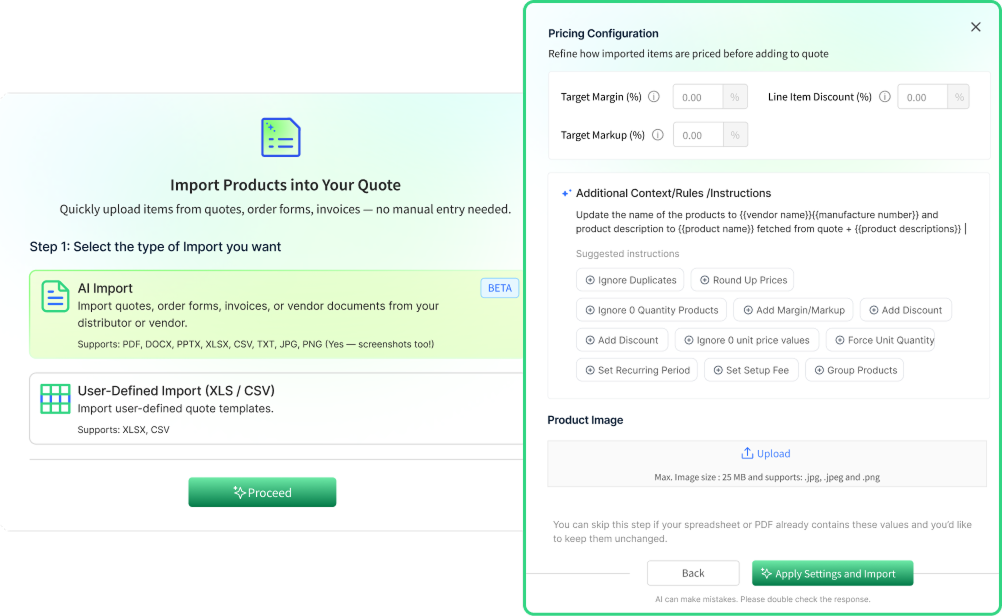
One of the most time-consuming tasks in MSP Quoting is manually re-entering product data from distributor quotes. A vendor sends a PDF or spreadsheet; someone on your team types each SKU, quantity, and price into your quoting tool. That’s a problem Zomentum solves directly.
Zomentum includes AI-powered imports that extracts products, SKUs, quantities, and pricing from distributors and vendor quote files supporting PDF, DOCX, PPTX, XLSX, CSV, TXT, JPG, PNG and even screenshots. Clean like items, ready to edit and send.
PandaDoc has no equivalent capability for this workflow.
If your team quotes from vendor files regularly, this single feature difference can recover hours per week.
Editor Experience
Both platforms offer a document editor, but the use cases they’re designed for are different.
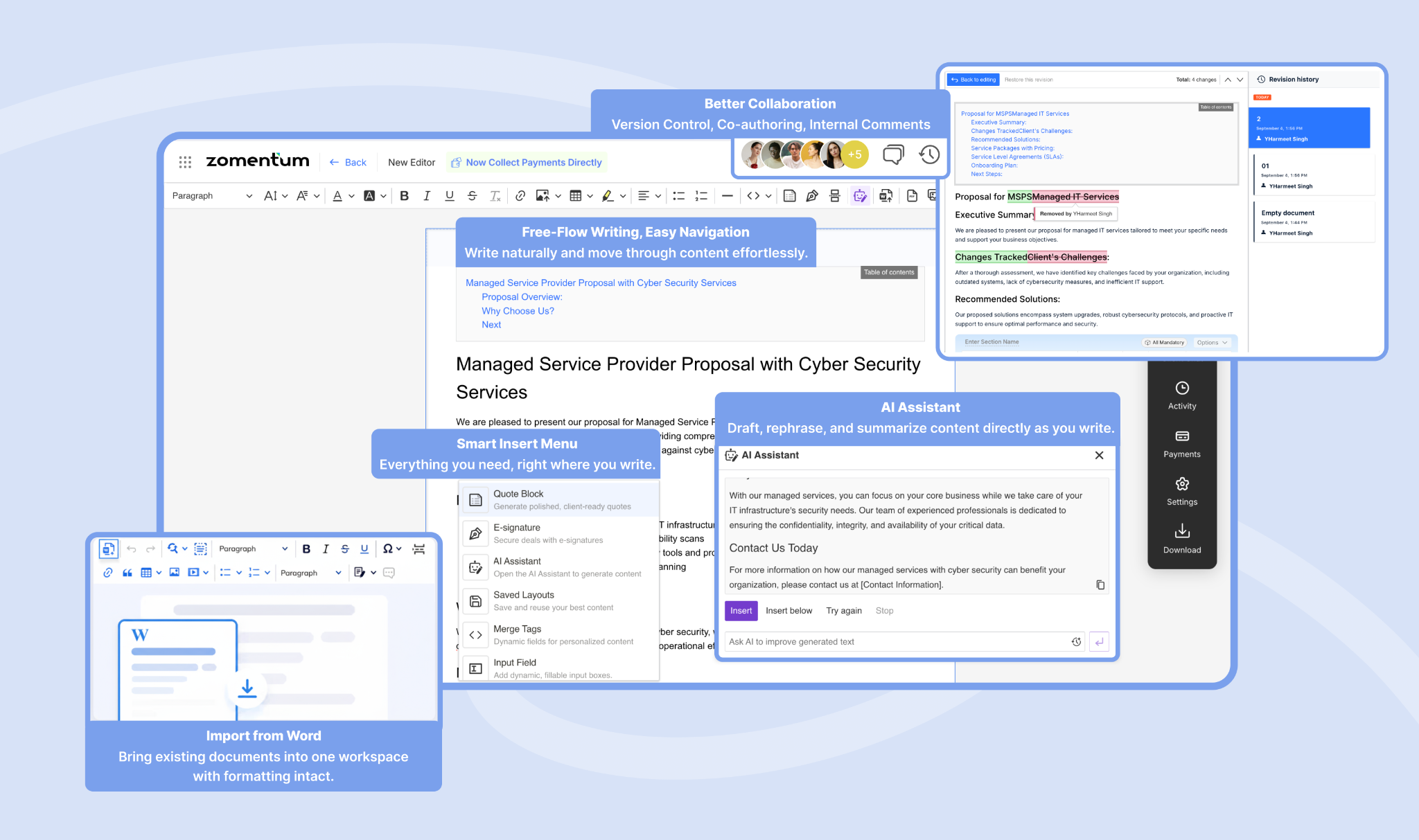
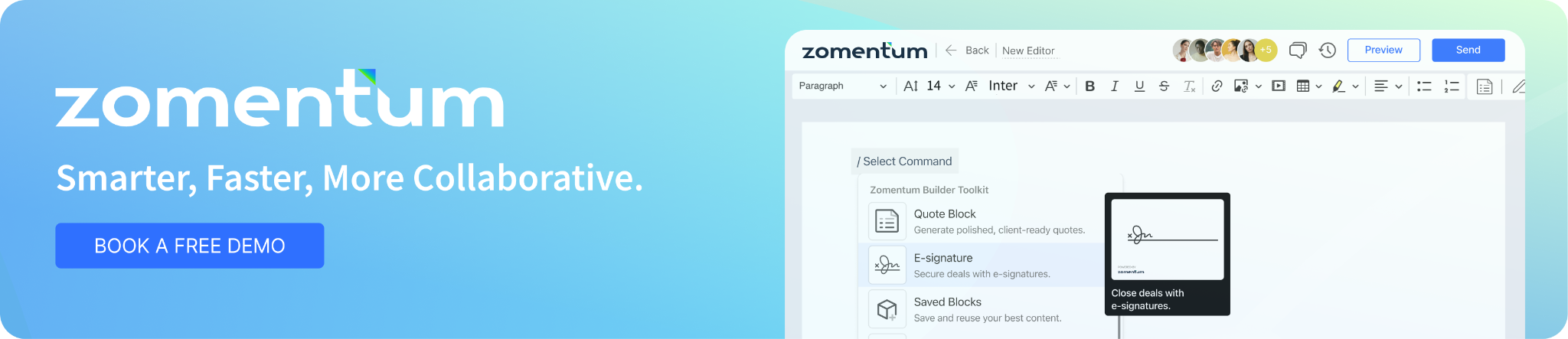
Zomentum’s rebuilt editor supports freeform editing (not rigid block-based layouts), table of contents, version history, internal comments, real-time co-authoring, undo/redo, Word Import and AI writing assistance. It’s built to handle complex, multi-section proposals without the formatting friction that slows teams down.
PandaDoc has a strong editor for general document automation. It supports templates well. But specific capabilities like co-authoring and version history depend on plan tier, and the workflow is optimized for general B2B documents rather than MSP proposals with technical specifications and procurement details.
Quote - E-Sign - Payment in One Flow
Post signature payment collection is where many MSP quoting setups break down. The contract is signed, then someone manually creates an invoice, chases it as accounting software, or experts to a payment gateway. Every handoff creates delay and error risk.
Zomentum treats e-sign and payments as first-class products within the same platform. Quotes flow into signatures, signatures trigger payment collection, and the entire quote-to-cash motion is automated without stitching together separate tools. Payment controls and collections workflows are built in.
PandaDoc supports e-sign natively and connects to payments gateway via integrations but the quote to cash flow requires additional configuration and tooling. It’s workable but it’s not a purpose built MSP collections motion.
Advanced Approval Logic
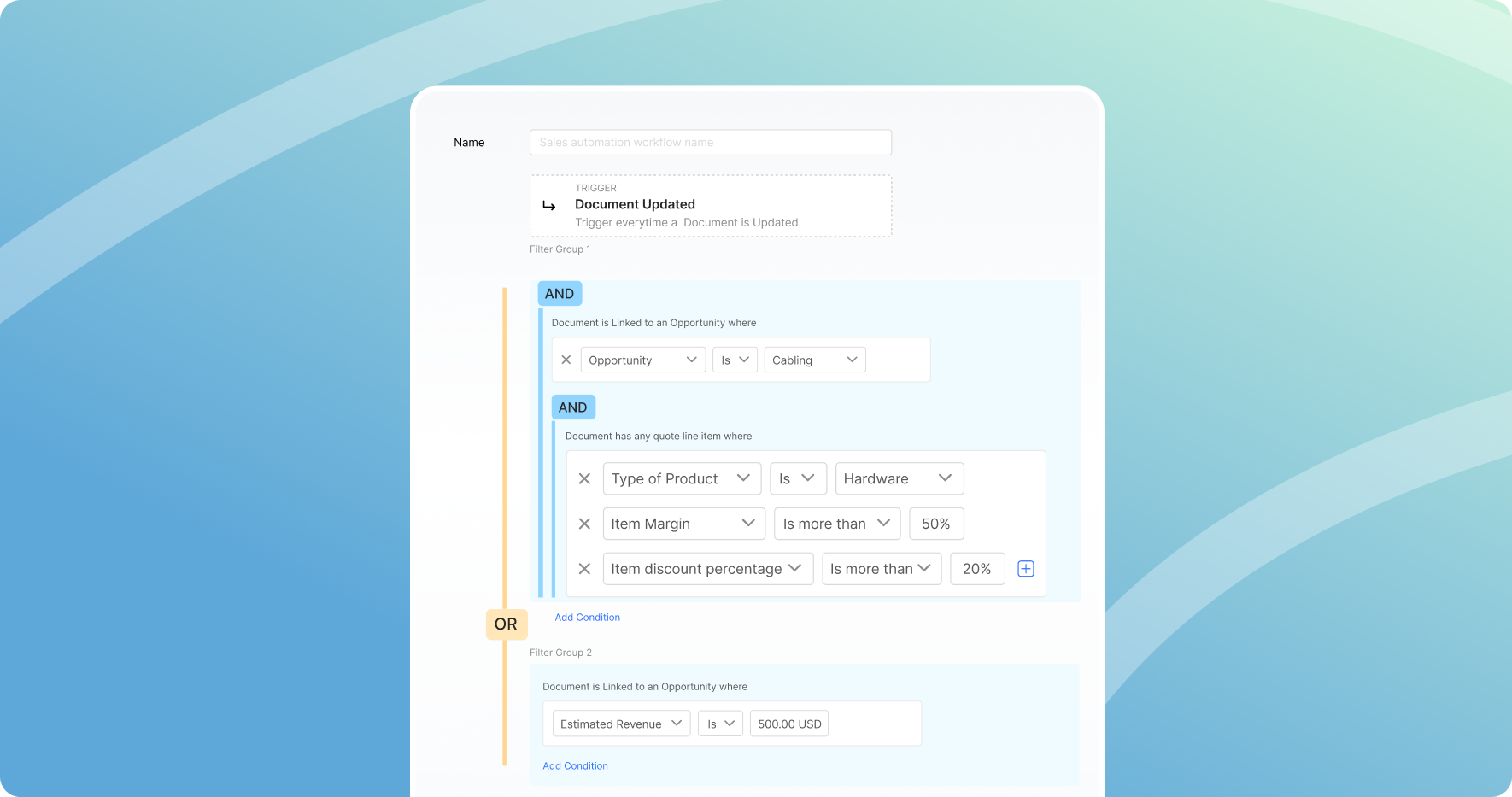
MSP deals often require margin-based or discount-based approvals before quotes go out. Standard approval workflows approve/reject buttons routed to a manager, don’t cut it when you need rules like “if any line item margin falls below 18%, route to finance and pause send.”
Zomentum supports multi-condition nested approval logic with granular triggers, including line-item level conditions based on margin, discount percentage and product rules.
PandaDoc offers approvals workflows, but nested line-item trigger logic of this type is not available.
PSA & Distributor Integrations
The integrations story is where the MSP specific gap becomes clearest.
Zomentum maintains integrations across every major MSP category
- PSA: Autotask, HaloPSA, ConnectWise, RepairShopr, Kaseya, Syncro, Zapier.
- Distributors: Ingram Micro, TD Synnex, Amazon Business, Dicker Data, Westcoast, Leader System and others plus custom distributor integrations support.
- Accounting: QuickBooks, Xero (coming soon)
- Payment Gateways: Stripe, ConnectBooster, Zomentum Payments
- Marketing/CRM: Hubspot, Infusionsoft (keap)
PandaDoc integrates with CRMs and general payment gateways, which serves its general market audience well. MSP specific integrations. PSA systems and distributor catalogs are not a core part of its integration strategy.
If your quoting workflow touches a PSA or pulls from distributor inventory, PandaDoC requires you to solve that connectivity problem yourself.

AI Writing Assistance
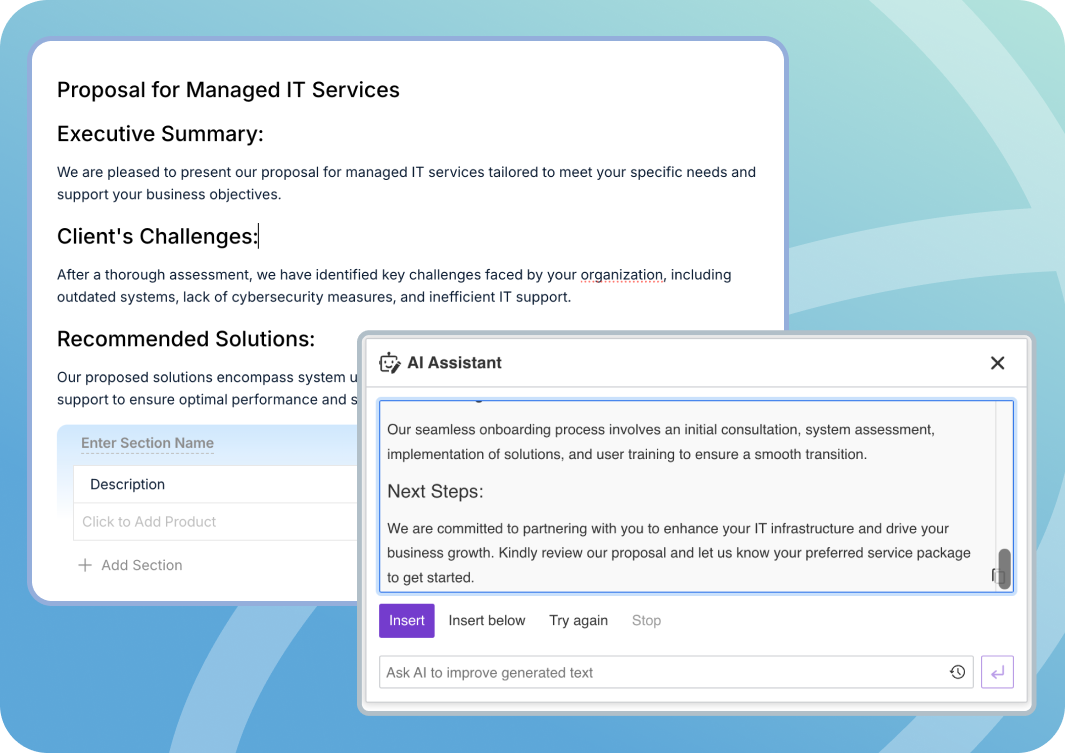
Zomentum includes an AI Writer with tiered usage limits and AI-assisted editing built into the proposal workflow. MSP teams can draft proposal sections, rewrite executive summaries or generate service descriptions without leaving the platform.
PandaDoc does not offer equivalent AI writing capabilities for proposals.
Side-By-Side Summary
When PandaDoc Makes Sense
PandaDoc is a legitimate tool. For general B2B teams, agencies, Saas companies, consulting firms that need professional document automation with e-sign, it delivers. If your primary need is polished proposal templates and signature collection and you have no distributor or PSA requirements, PandaDoc can work.
But that's a narrow fit for most MSPs. As your team scales quotes, adds vendors, and tightens margin controls, generic document tools accumulate friction rather than removing it.
The Zomentum Difference for MSPs
Zomentum was designed specifically for the MSP sales and quoting motion. The platform connects distributors catalogs, PSA systems, accounting and payment collection into a single workflow with AI to accelerate the repetitive parts and automation to enforce the business rules you care about.
The result is a faster quote-to-cash cycle, fewer manual handoffs, and proposal output that looks professional without the manual assembly time.
If your team is spending hours on distributor quotes, managing approvals in email, or chasing payments after signature, those are problems Zomentum is built to eliminate.
Request a demo to see the MSP quoting workflow in action.
.png)
.png)